
HOW FRED WORKS
A little less to carry.A lot more, together.
Fred turns what’s in one parent’s head into a plan both of you can see, keeps track of who’s doing what, and follows up.


01 — FROM “MUST REMEMBER” TO “WE’VE GOT THIS”
One school email. Handled.
Follow Lotte, Tom and Mia from a forwarded school email to the day of the trip.
Just tell Fred.
You type it, say it, or forward the school email. Fred receives it with the same family context for both of you.


TODAY 17:42
📧 De Vlinder: Mia’s class visits the Openluchtmuseum on Friday 9 October. At school by 08:15; bring lunch and a rain jacket. Volunteers: reply by 30 September.17:42
02 — MORE THAN A PLACE TO PUT DATES
A calendar holds the date. Fred helps with the bits around it.
The lunch to pack. The pickup to agree on. The thing still waiting for someone to do it. Fred helps connect those dots, so one parent doesn’t have to keep the whole picture in their head.
Why sharing the mental load mattersFred looks after the system around the decisions. The decisions that matter stay yours.
03 — ONE FAMILY. ONE SHARED PICTURE.
Tell Fred in the chat. See it in the app.
The chat is Fred’s main input. Type it, or say it out loud. But nobody wants to scroll a chat to find out what today looks like. So the app puts the useful bits where you can read them at a glance.
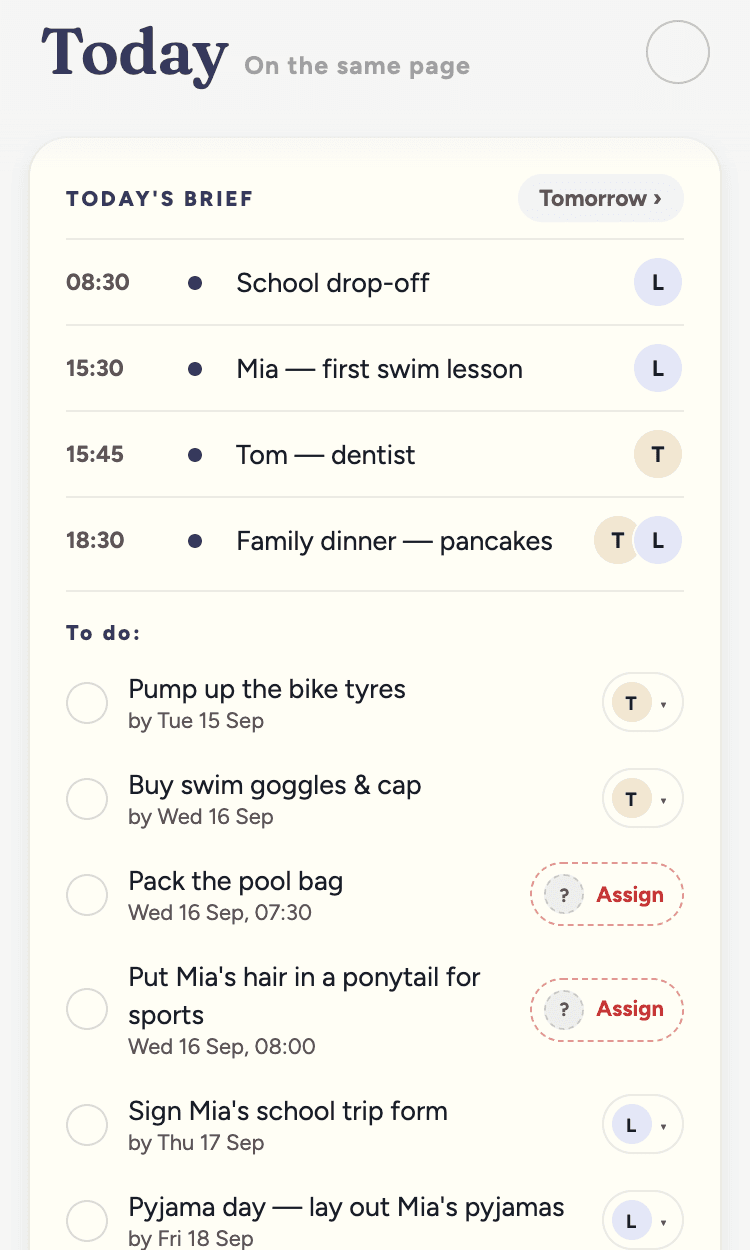
Today’s Brief
Everything that matters today on one screen: the schedule, who’s on what, and the to-dos that are due. The same brief lands in the chat on weekday mornings.
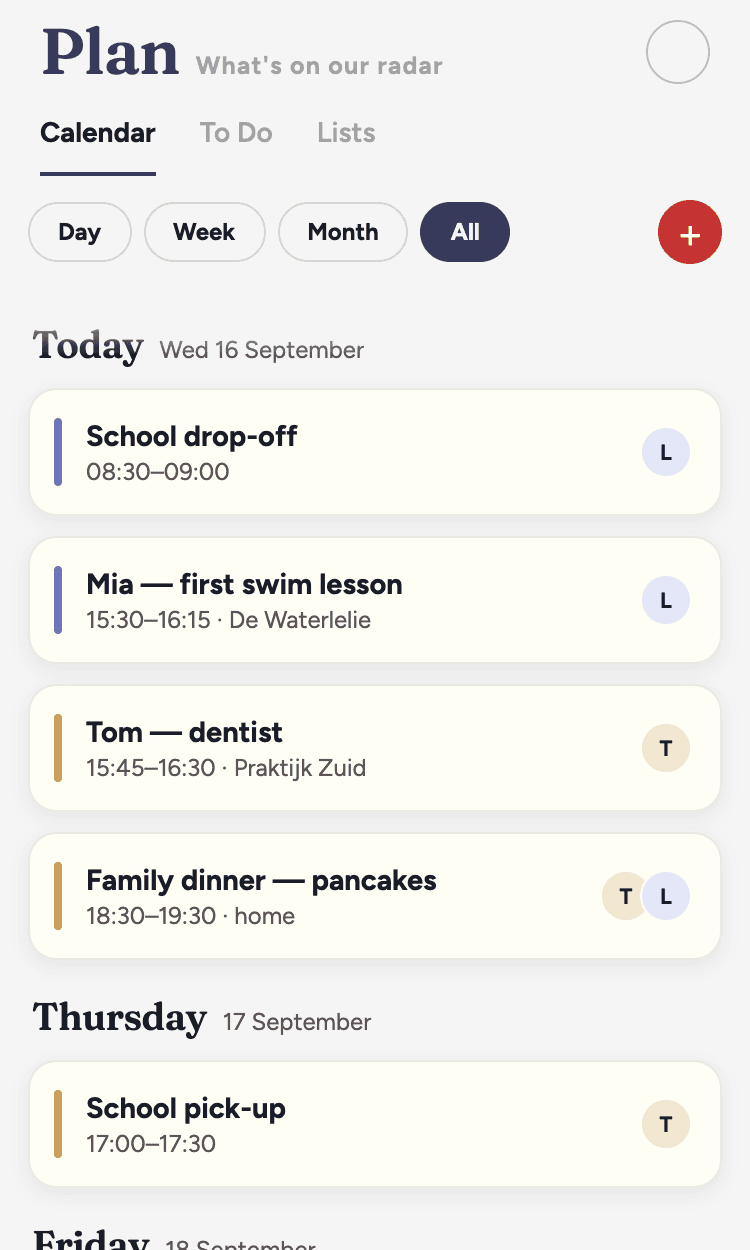
Calendar
The events Fred created and the calendars you’ve shared, in one view. See what’s coming and who’s on it.
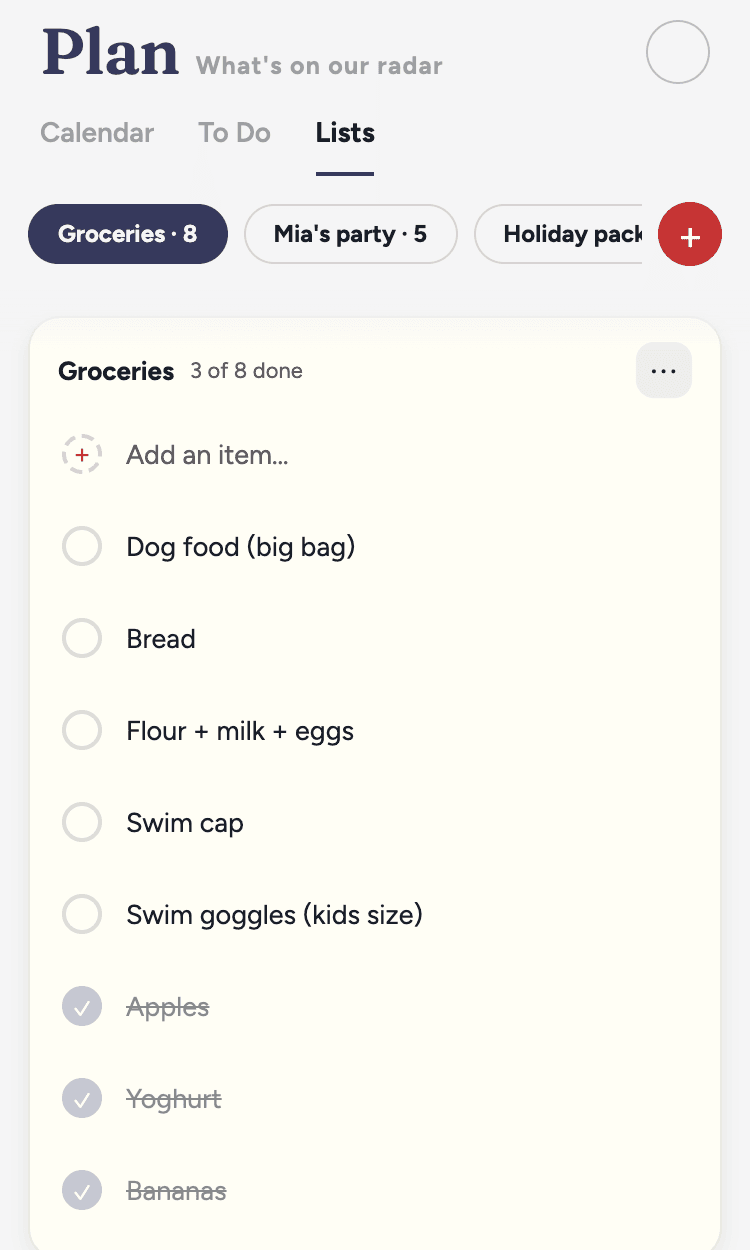
To-dos and lists
The longer list: to-dos that don’t all need doing today, each with an owner and a deadline. And any list you want to keep — groceries, packing, Christmas presents. Add, tick, reassign, done.
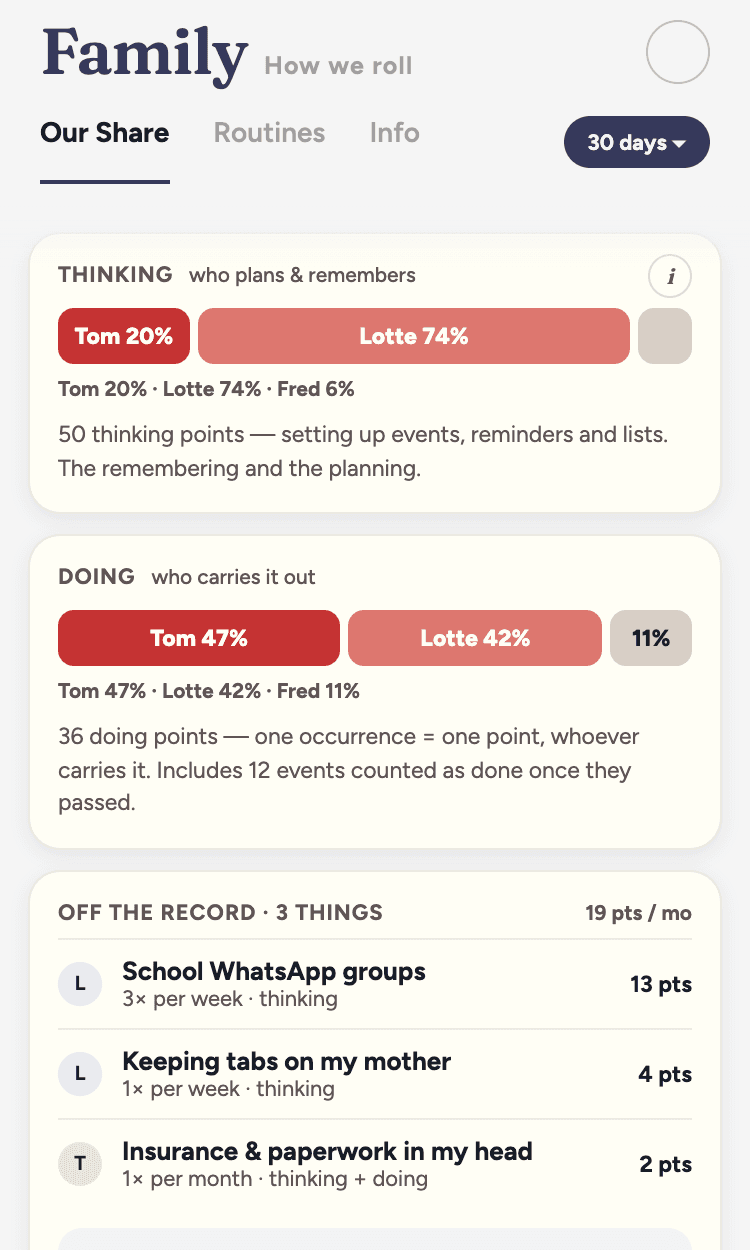
Our Share
How the load splits between the two of you — the thinking and the doing — once there’s enough to say something honest. A picture, not a verdict. The point is the conversation it starts.
04 — LET THE INFORMATION COME TO YOU
End the calendar mess
Fred creates a shared calendar and keeps track of yours too.
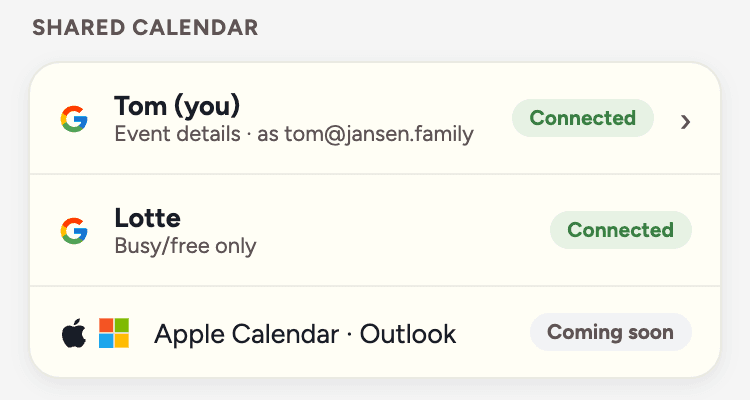
- The shared family calendar.
- Fred’s own Google calendar, shared with both of you. Fred’s events go here and appear in your Google Calendar when you subscribe. You don’t need a separate invitation for every event.
- Your personal calendar.
- Optional, and read-only. Choose Event details (Fred sees titles and times) or Busy/free only (Fred sees when you’re busy, not what). Fred uses it for two things: spotting clashes before adding something, and answering “am I free on Thursday?”. Fred never creates, edits or deletes anything in it.
- Not connected?
- Without calendar access, Fred doesn’t know whether you’re free. Tell Fred what works for you.
Forward it. Fred keeps track.
Fred doesn’t read your inbox. Your family has its own Fred address; only what you send there reaches Fred.
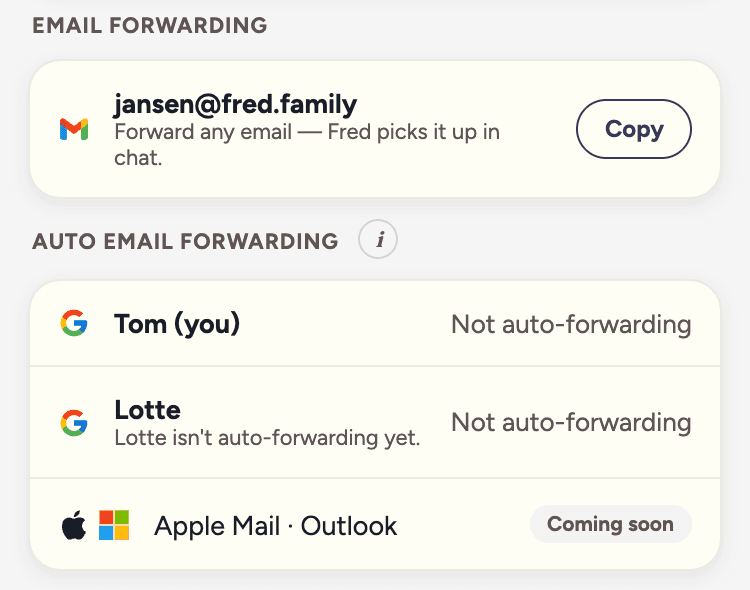
- Your family’s Fred address.
- Find it under Settings → Integrations. Forward the school newsletter, day care updates, the sports club schedule or the dentist’s confirmation.
- Choose what comes through.
- Forward by hand, or set a rule in your own mailbox for the senders you choose. Use the step-by-step forwarding guide.
- Emails aren’t instructions.
- “Please confirm by Friday” in a newsletter is information for you, not an order for Fred. Fred summarizes it and asks what you want done. Read how long we keep what.
05 — YOU’RE STILL IN CHARGE
Fred is transparent and does not decide
Nothing is done without your instruction. Tell Fred what needs changing; if something is unclear, Fred asks. The decisions that matter stay yours.
Something unclear for Fred? Fred works it out with you in the chat.
Review what Fred knows. Everything Fred stores about you can be reviewed, edited and deleted by you.
Fred got something wrong? Fred is AI and can make mistakes. Give us feedback, Fred is getting better every day.

06 — WHERE WE’RE HEADING
What’s next
We believe an AI that sits between two parents, rather than assisting one at a time, brings families closer together. That the invisible work becomes visible, and valued. That the second parent gets a real way in. And that the time that used to disappear into coordination becomes time for each other.
Everything we will do, will always serve the goal to make your family life better. We will reduce the places where you need to check for information (think school apps, day care apps, WhatsApp groups) and also Fred will execute tasks for you. That healthy meal plan, ordering the groceries – Fred will not only reduce your mental load but also reduce the time you spend on tasks.
07 — BETA, AND GETTING IN
Fred is in beta. Here’s how you join.
Free, invitation only, no payment details.
Features will change while we’re in beta, and now and then something breaks. The terms have the detail.
Join the waitlistJoin the waitlist
We email you when a spot opens
Install Fred via TestFlight or Google Play testing
Create your family and invite your partner by email